
















Your shift work, clear down to the last detail.
Enter it once and review the whole month. Calendar, hours, time banking and reminders stay aligned even when shifts change.


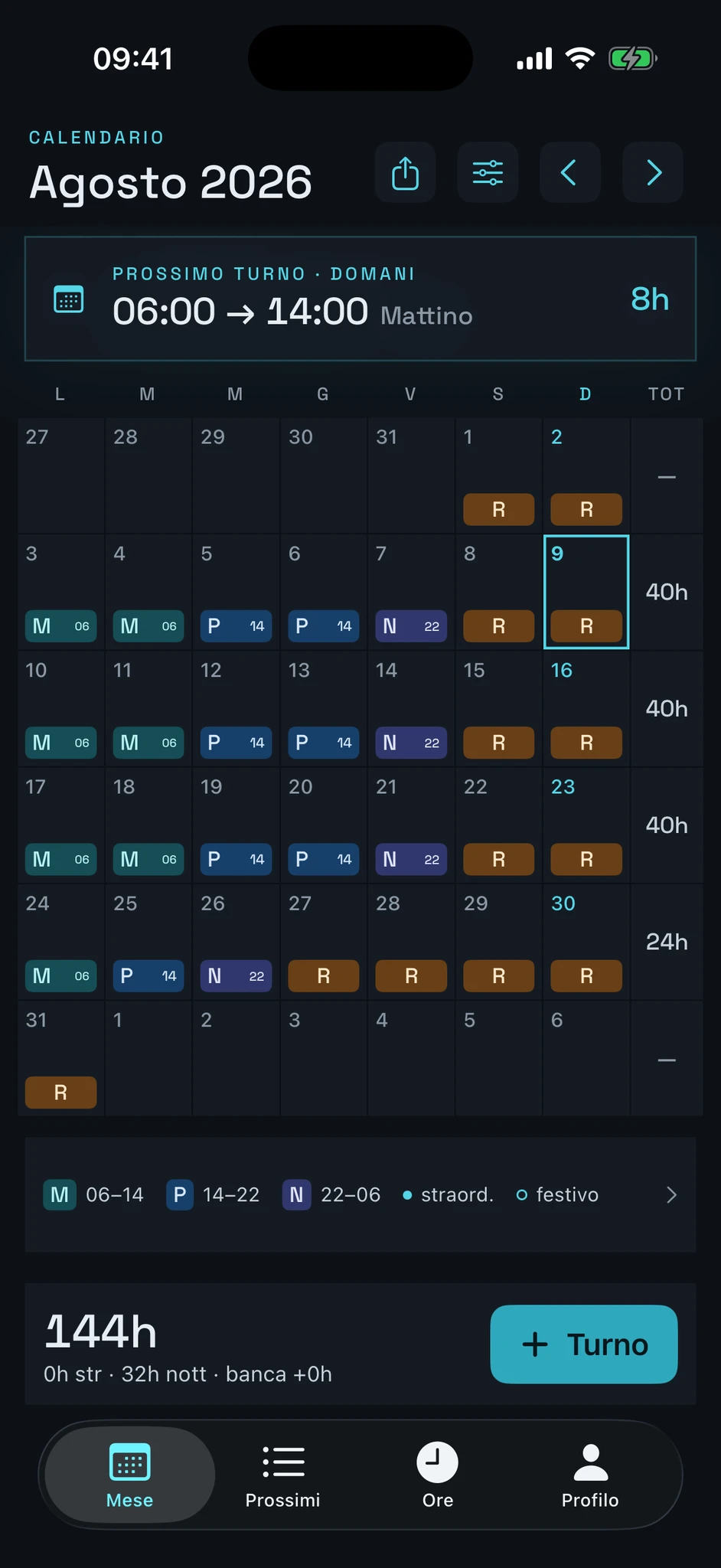
Enter
Undo the latest assignment made across multiple dates directly from the calendar.
Six ways to enter a shift.
Pick the one that matches your calendar, none of them becomes a required step.
-
Single day
Add or edit a shift without leaving the calendar.
-
Consecutive range
Assign the same shift to a continuous period.
-
Non-consecutive dates
Pick only the days you need, the others stay untouched.
-
Weekly repeat
Automatically repeat the chosen dates for the set period.
-
Custom cycle
Alternate shifts and rest days in a sequence that runs until the chosen date.
-
Second shift or on-call duty
Record two separate commitments on the same day.
Review the month
Every hour stays in its own category.
The calendar keeps shifts, absences and quantities separate, from the daily detail to the monthly total.
-
Custom types with code and colour
Recognise each shift type without losing the context of the month.
-
Work, on-call duty, rest and absence
Keep commitments and non-working days separate.
-
Ordinary, night, holiday and overtime hours
Review each quantity under the correct item.
-
Time bank
Keep the balance of accumulated or recovered hours separate.
-
Monthly hours target and variance
Compare the expected total with the hours recorded during the month.
-
Weekly and monthly totals
Move from the weekly detail to the overall view.
Estimate
Estimates are gross checks and do not constitute a complete payslip.
From rules to detail.
The month's quantities meet the rules you enter, and every step of the estimate stays readable.
-
Date-effective economic rules
Apply each rule from the date it takes effect.
-
Premiums, allowances and daily items
Configure variable components and items tied to an individual day.
-
Economic quantities
Review the quantities behind every line, on either plan.
-
Gross estimate and line-by-line detail
With Premium, review the estimated calculation for each component.
-
PDF and CSV export
With Premium, export readable summaries and structured data.
Continue
The calendar stays under your control.
turni works offline and only uses optional integrations available on the platform. No Systema360 account.
-
Offline use and local storage
Review and update the calendar even without a connection.
-
iCloud on Apple devices
On compatible Apple devices, you can sync data to the iCloud database associated with your account.
-
Calendar on Apple devices
On Apple devices, you can optionally add shifts to the calendar you use every day.
-
Configurable reminders
Choose when to receive an alert before your shift starts.
-
Protection on Apple devices
On compatible Apple devices, you can protect access using the device's authentication.
-
Complete data deletion
Remove the stored data from the app whenever you decide.
Free and Premium
What's included in turni.
The calendar and the hours stay in the Free plan. Premium adds estimates and exports.
| Feature | Free | Premium |
|---|---|---|
| Calendar | Included | Included |
| Custom shift types | Included | Included |
| Shift colours | Included | Included |
| Work cycles | Included | Included |
| Flexible entry | Included | Included |
| Two daily positions | Included | Included |
| Hour totals | Included | Included |
| Time bank | Included | Included |
| Economic quantities | Included | Included |
| Configurable reminders | Included | Included |
| Calendar on Apple devices | Included | Included |
| iCloud on Apple devices | Included | Included |
| Protection on Apple devices | Included | Included |
| Gross estimate of variable components | Not included | Included |
| Line-by-line economic detail | Not included | Included |
| PDF and CSV export | Not included | Included |
Premium is an annual subscription that automatically renews until cancelled. Any trials or offers, the price and applicable terms are shown by the App Store or Google Play before purchase.
Estimates are gross checks and do not constitute a complete payslip.
What people say
The first review changed the app.
The best!
First of all, I am from Basilicata, so this app was a wonderful discovery in two ways, both because it is the app I had been looking for for a long time and because it was developed in Basilicata.
The app has everything you need to view your work shifts clearly and efficiently. I have tried so many apps like this on the store, but none has ever convinced me as much as this one.
My only suggestion is that I would like to swipe from one month to the next. Apart from that, fully approved, congratulations!
Swiping between months arrived in the next update, on the calendar and in the hours summary.
turni is available on the App Store and Google Play.
Features and offers may vary by platform.